An “invalid account” message on MetaTrader does not necessarily mean the broker has closed your account. At IC, formerly IC Markets, it commonly indicates a mismatch between your account number, trading password or server selection. A “no connection” message points towards another category of problem. The right troubleshooting process identifies the specific platform and error first, rather than randomly changing credentials.
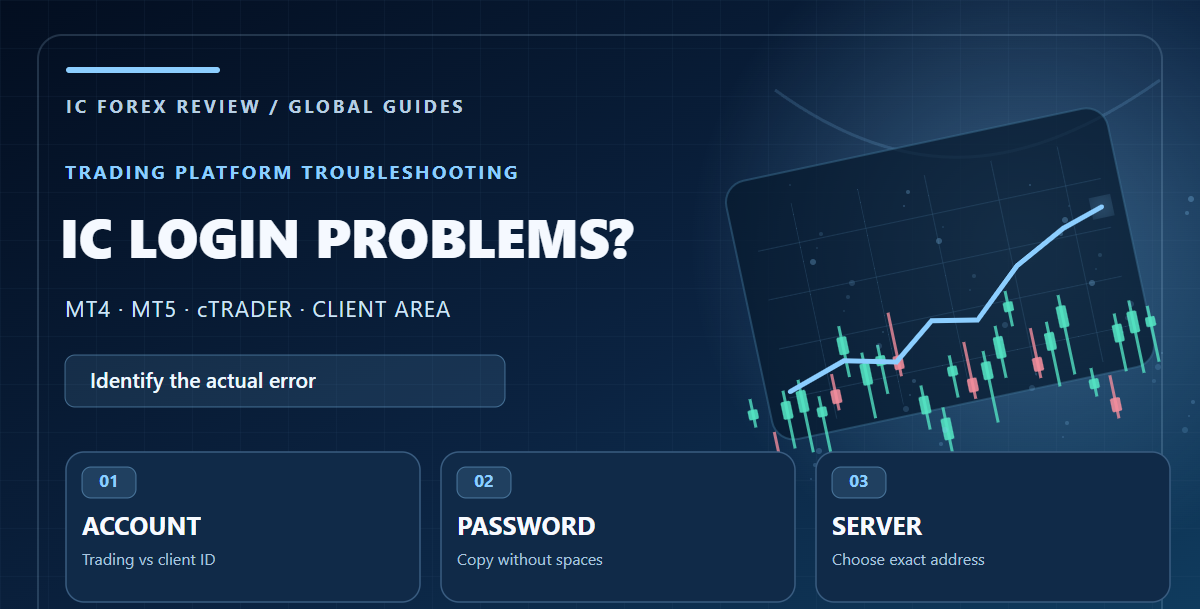
IC's official Global Help Centre explains MetaTrader account access, password changes, cTrader ID and several connection messages. This guide draws on those instructions reviewed on 14 October 2026. The steps are general: only your broker's authenticated portal can confirm the status of a particular account.
Start by identifying which account you are trying to access
The Secure Client Area is the account-management portal used for registration, trading-account management and funding. A MetaTrader trading login uses a trading account number, its trading password and a particular server. cTrader uses a separate cTrader ID (cTID) based on email and a password. Those identities can be related but are not interchangeable.
Before troubleshooting, write down the platform you opened, whether it is a live or demo account, and the exact error message. Do not share any password or one-time code with a chat group, comment section or third-party troubleshooting website.
The most common login errors and their likely causes
| Error or symptom | Common cause | First safe check |
|---|---|---|
| “Invalid account” in MT4/MT5 | Wrong trading login or password; possibly incorrect server | Compare credentials and server with the broker's account-details message |
| “No connection” | Server address, connectivity, terminal or network issue | Check the official server name, then network and platform status |
| “Authorisation failed” on mobile | Wrong server selected | Select the exact server associated with the account |
| cTrader account not visible | cTID not confirmed or a different email used | Check the “Welcome to cTrader ID” email and cTID confirmation |
| Client Area password forgotten | Portal credentials unavailable | Use the broker's official password-recovery process |
These are troubleshooting categories, not a guarantee that every incident has the same cause. Broker outages, disabled demo accounts and third-party security software can produce different symptoms. Confirm the status with official support if the basic steps fail.
How to log in to an IC MetaTrader 4 or MetaTrader 5 account
The Global Help Centre says users should open MetaTrader and choose File → Log in to Trade Account. Enter the account number, trading password and the matching server. The account number and server are provided in the broker's account details or onboarding email and may also be available in the Secure Client Area.
Pay attention to spaces when copying passwords. A trailing blank space is enough to make an otherwise correct password fail. If an expected server is not visible in the drop-down list, the Help Centre describes manually entering the applicable live-server hostname, but that should be taken from your own account details. Do not invent server numbers or rely on an old screenshot belonging to another customer.
Fixing “invalid account” without creating new problems
- Confirm whether the account is live or demo.
- Check the account number digit by digit against the official record.
- Re-enter the trading password carefully without leading or trailing spaces.
- Choose the exact broker server associated with the account, not merely any IC-looking option.
- Restart the application once and recheck the connection indicator.
- If the error persists, use the Secure Client Area to inspect the account status or initiate the official trading-password reset.
Repeated random password attempts and third-party “account recovery” programs are not a good solution. If you suspect unauthorised access, secure the email address linked to the trading account and contact the broker through a verified support channel.
What “no connection” may mean
The Help Centre distinguishes “no connection” from “invalid account”. Recheck the server address first, especially after installing a fresh terminal or adding an existing account to a new phone. Then confirm that the device actually has network access and whether the platform is being blocked by a firewall or security product.
A connection indicator alone does not tell you whether your trading strategy is safe. If an EA is running, an interruption could leave the strategy unaware of open positions. Avoid blindly restarting automated execution without reviewing the current order and position state.
cTrader ID: why your MetaTrader password will not work
IC's Global FAQ says a cTrader trading account becomes associated with a cTrader ID (cTID), which is established when the cTrader account is approved. A welcome email asks the customer to confirm the cTID. Once confirmed, the email address and cTID password are used to sign in, and linked cTrader accounts appear in the platform.
If you cannot see a newly opened account, check whether the cTID was confirmed, whether you used the same email and whether the account has actually been approved. Do not enter MetaTrader's numeric trading account as though it were the cTID email. Official cTrader documentation and IC support are better sources than a random password-reset link received in a direct message.
What to do when you forget a trading password
IC's Help Centre says a forgotten trading-account password can be reset from the Secure Client Area using its trading-account password-change feature. This differs from resetting the password used to enter the Client Area itself. If you change one password and the other remains the same, that can be normal because they serve different functions.
For security, do not send passwords in an email asking support to confirm them. Store recovery information in a secure password manager or other trusted storage, and avoid entering credentials into third-party apps that promise to fix broker connectivity.
Why MetaTrader mobile and desktop can behave differently
On mobile, the official sequence is generally to add an existing trading account, search for the broker, select the correct account server and enter its login credentials. If desktop connects but mobile reports authorisation failure, compare server and account type before assuming the underlying account is faulty. A mobile app may also have different options for searching or entering servers.
The Global FAQ also says mobile MetaTrader cannot directly install desktop Expert Advisor or indicator scripts. That limitation can be mistaken for a login problem when the trader expects an EA to appear immediately after signing in. Manage desktop or VPS automation separately from the mobile viewing environment.
When to contact official support
Contact verified broker support if the account number and server are correct, password recovery is inaccessible, cTrader confirmation messages never arrive or the account appears restricted without a clear explanation. Provide the account reference and a description of the error through the authorised channel. Do not post full account numbers, documents, passwords or screenshots revealing sensitive balances in public comments.
For a broader look at the account and jurisdiction questions, our independent IC Markets review covers the Global offering and the importance of the legal entity. If you are investigating trading costs rather than access, use the cost-comparison guides rather than trying unrelated login changes.
Official sources and disclosure
Reviewed on 14 October 2026 using the IC Global Help Centre entries for MetaTrader login, invalid-account messages, cTrader ID and password resets. Interface labels can differ as platforms are updated.
IC Forex Review is not the broker's customer-support department. We may receive compensation through an IC affiliate link, but we cannot recover accounts or access client records. Any leveraged trading carries risk, even after a login problem has been fixed.

Comments
Post a Comment